This is an old revision of the document!

Symlinks Plugin For OMV8
Summary
- openmediavault-symlinks provides a simple way to create and manage symbolic links directly from the OpenMediaVault GUI.
- A symlink can be used to shorten long and complex mount paths, such as disks mounted by UUID.
- For example, a typical OMV mount path looks like this:
/srv/dev-disk-by-uuid-89527b07-ad7a-4bae-b5b0-5fd311jk588b/
- You can create a symlink in the OMV root path, for example:
/disk1
- This makes it much easier to reference disk paths in applications such as containers, where you only need to use /disk1.
- This plugin is especially useful when working with Docker or other containerized applications, as it provides stable and readable paths independent of disk UUIDs.
Prerequisites
- OMV-Extras must be pre-installed.
Installation
In OMV7's GUI:
Under System, Plugins, find and highlight openmediavault-symlinks 8.X, and click the Install button.
Using the Symlinks plugin
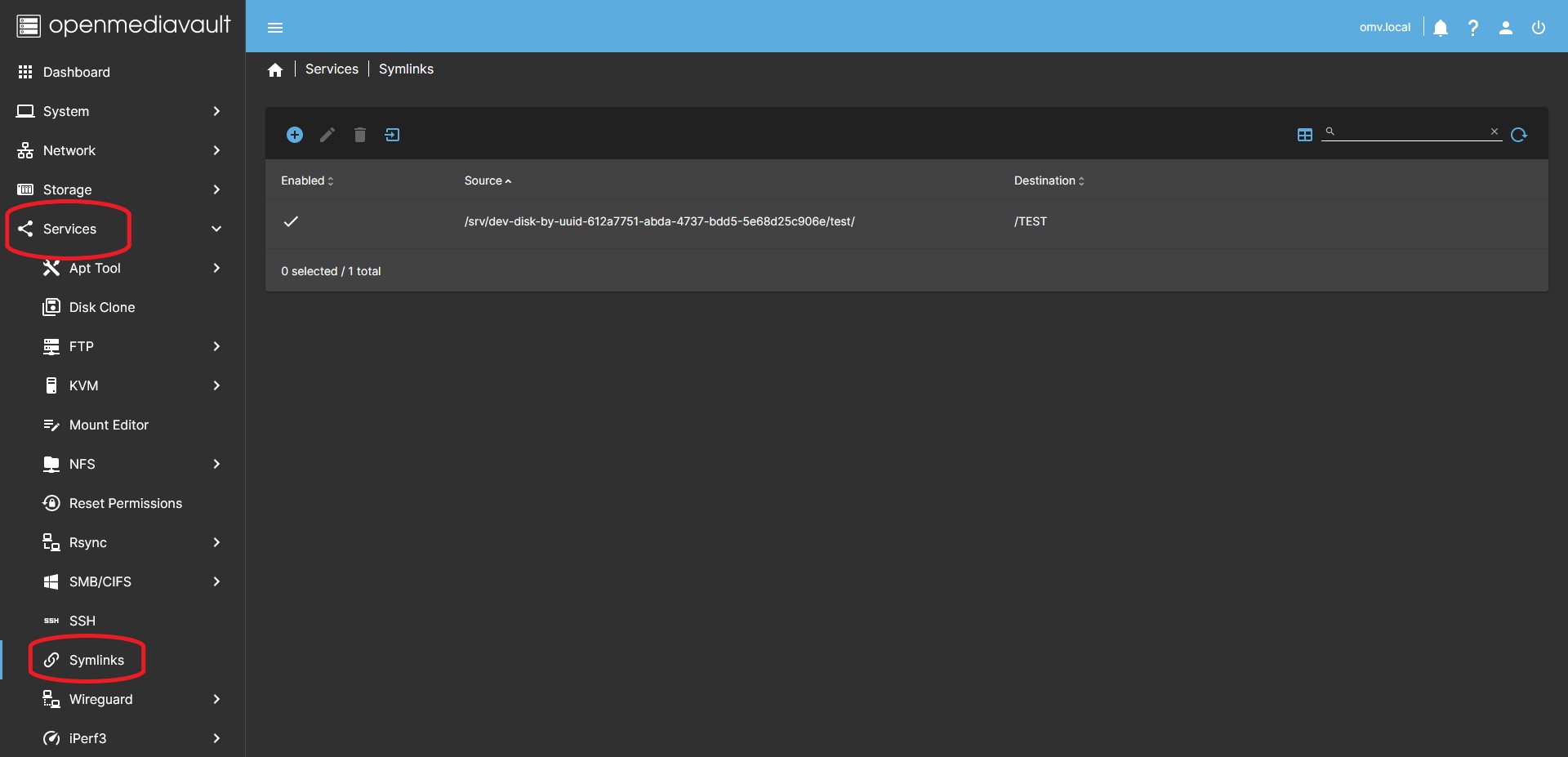
Create and delete a symlink
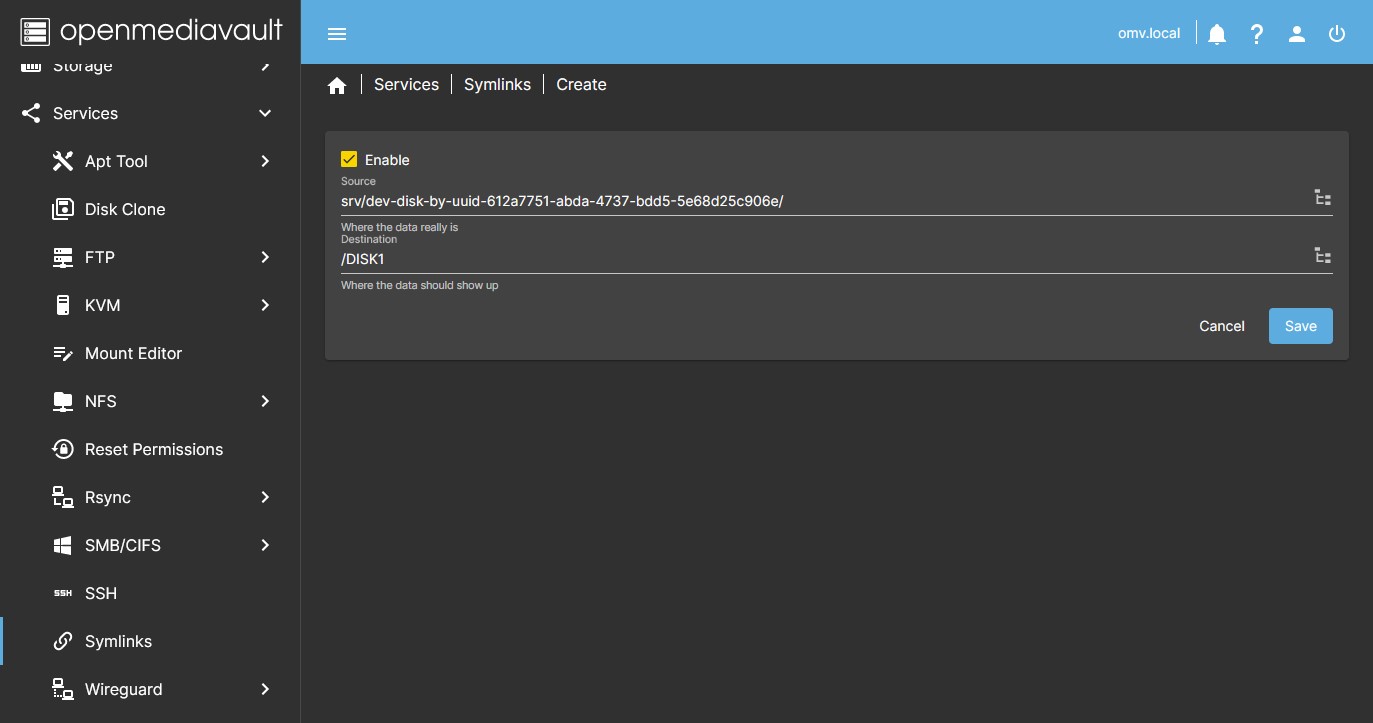
- Go to Services > Symlinks and press the + Create button. In the dialog window, do the following:
- The Source field defines the actual folder on the file system. Click the folder icon on the right, locate the folder for which the symlink will be created, and select it.
- In the previous example, this would be:
- /srv/dev-disk-by-uuid-89527b07-ad7a-4bae-b5b0-5fd311jk588b/
- The Destination field defines where the symlink will be created and the name it will have. You can use the folder selector or enter the path manually.
- In this example, enter:
- /disk1
- Press Save. The symlink is created.
- To delete a symlink, select it from the list and press the Delete button.
Import existing symlinks in the system
- You can import symlinks that were created manually from the CLI so they appear in the OMV GUI.
- Press the Import existing symlinks button.
- Existing symlinks found on the system will appear in a drop-down list. Select the one you want and press Import.
- A new entry will appear in the list with the imported symlink.
Source Code
A Closing Note
We, who support the openmediavault project, hope you’ve found this guide to be useful and that you’ll find your openmediavault server to be efficient, easy to use, and enjoyable.
If you found this plugin guide to be helpful, please consider a modest donation to support the hosting costs of this server.
OMV-Extras.org
Venmo: ryecoaaron